Create VOD rules directly from catch-up rights
May 25th, 2026 (Revision 1), print this pageTurning catch-up rights into operational VOD rules can be a repetitive and error-prone process. Users often need to interpret rights, check existing VOD rules, identify overlaps or duplicates, and manually create the appropriate automation.
As a first step to simplify this workflow, we’ve introduced a new automation flow that helps users generate VOD rules directly from catch-up rights. And we can’t wait to hear your feedback on it!
This first phase focuses on a straight-forward, user-triggered workflow from the Rights destination, keeping users fully in control of the outcome.
✨ What’s New?
You can now go to the Rights destination, filter the relevant catch-up rights, select one or multiple rights, and trigger the automation via the new Add VOD Rules button.
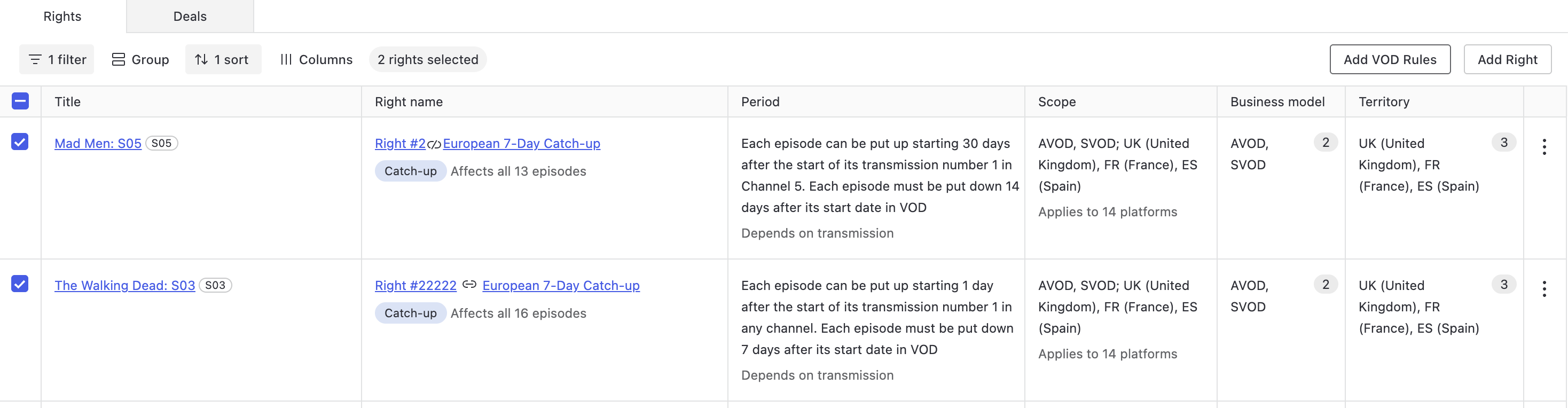
The system will automatically generate draft VOD rules based on the selected catch-up rights, which you can then review, modify if needed, and approve once ready!
This reduces the amount of repetitive manual setup required when operationalising catch-up availability and helps teams move more quickly from rights management to scheduling. Yee-haw!
Applying VOD rule templates during creation
When triggering this automation workflow, you can optionally apply VOD Rule Templates.
This makes it easier to standardise workflows and override specific aspects of the original catch-up right when needed.
Visibility for rights already linked to VOD rules
To help users understand which catch-up rights have already been processed through this automation workflow, the Rights destination now includes a new VOD Rules column.
This column displays VOD rules created via the automation flow and includes additional details through a popover.

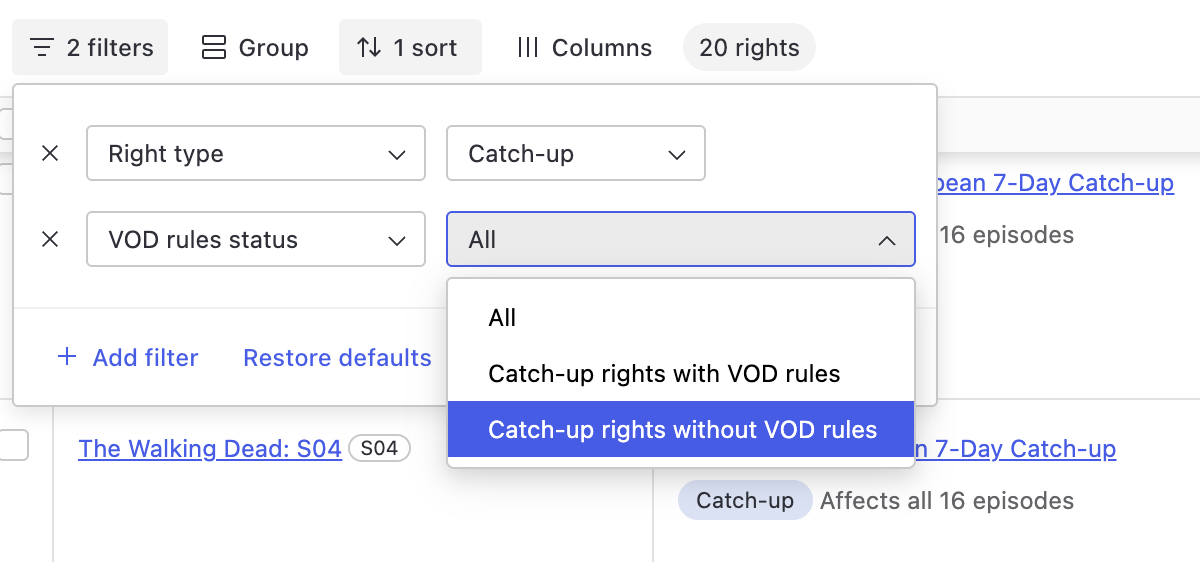
A new filter has also been added, so users can quickly identify rights that do not yet have VOD rules created from them.
⏭️ What’s next?
This release is the first phase of a broader automation initiative focused on rights-driven scheduling workflows. We plan to expand upon this with future iterations, and we would love to hear your feedback to further inform our plans. Please reach out to your Customer Success Manager, who will make sure your feedback reaches us.
And, as usual, you can also contact your Customer Success Manager if you have any questions about the new feature!