We’ve made a series of improvements across Rights and Schedule to make rights management more efficient, improve visibility into rights data, and help teams understand and resolve rights conflicts faster.
Let’s get into it!
Better rights conflict visibility in Schedule
We’ve improved how rights conflicts are displayed and filtered within Schedule, helping users understand issues more quickly and take action without switching contexts.
What’s changed?
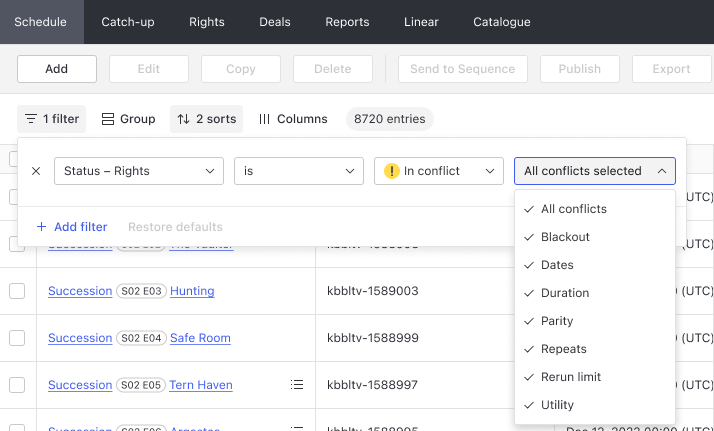
Filter conflicts by conflict type
When filtering for schedules with rights in conflict, you can now further narrow results by selecting one or more conflict types.
More informative conflict explanations
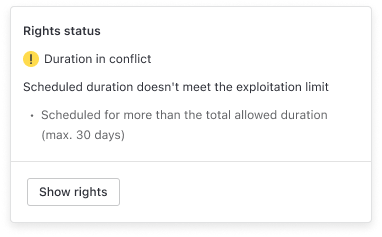
When you click on the right status of a given schedule entry that has conflicts, you will now see:
-
A plain-language explanation of the conflict.
-
Supporting information that helps explain why the conflict occurred.
New “Rights status details” column
A new Rights Status Details column provides a more descriptive explanation of the current rights status directly within the table (no need for clicks!).
For entries that are cleared, denied, or have no rights, the column displays a short explanation of the status. For conflicts, the column displays the conflict type together with a concise explanation of the issue. Where multiple conflicts apply, the column summarises the conflicts in a readable format.
Why this matters:
-
Find specific types of rights issues more quickly.
-
Focus on the conflicts most relevant to your workflow.
-
Reduce the time spent investigating large sets of schedule entries.
-
Help scheduling teams make informed decisions more quickly.
Improved rights management
We’ve enhanced the Rights destination to provide greater visibility into rights data and support customers who manage rights independently of Deals.
What’s changed?
Improved Rights table visibility
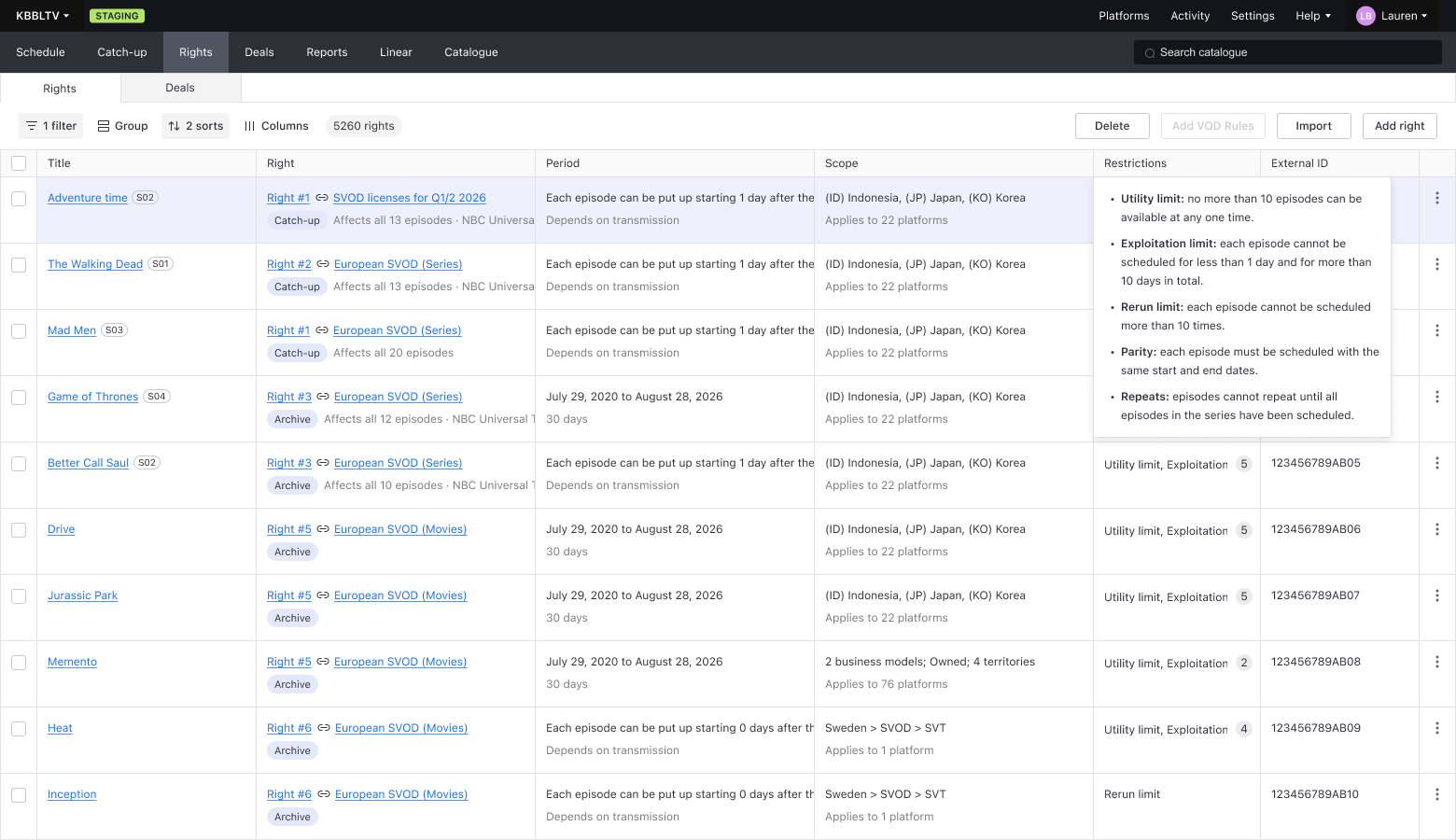
The Rights table now includes additional information regarding the scope and restrictions of rights. New popovers available against these columns make it easier to inspect rights information without leaving the list view - simply click on the table cell to expand the details.
We’ve also introduced a new two-line table layout that makes information easier to scan and improves readability across large rights inventories.
Additionally, a new Period column replaces the separate Date Starts and Date Ends columns, presenting the same information in a more compact format while maintaining existing filtering and sorting capabilities.
An easier way to review a right’s details at-a-glance
The display that appears when you click on a specific right now includes a more complete view of each right, bringing together information that previously required opening the full rights form.
Create and import rights directly from Rights
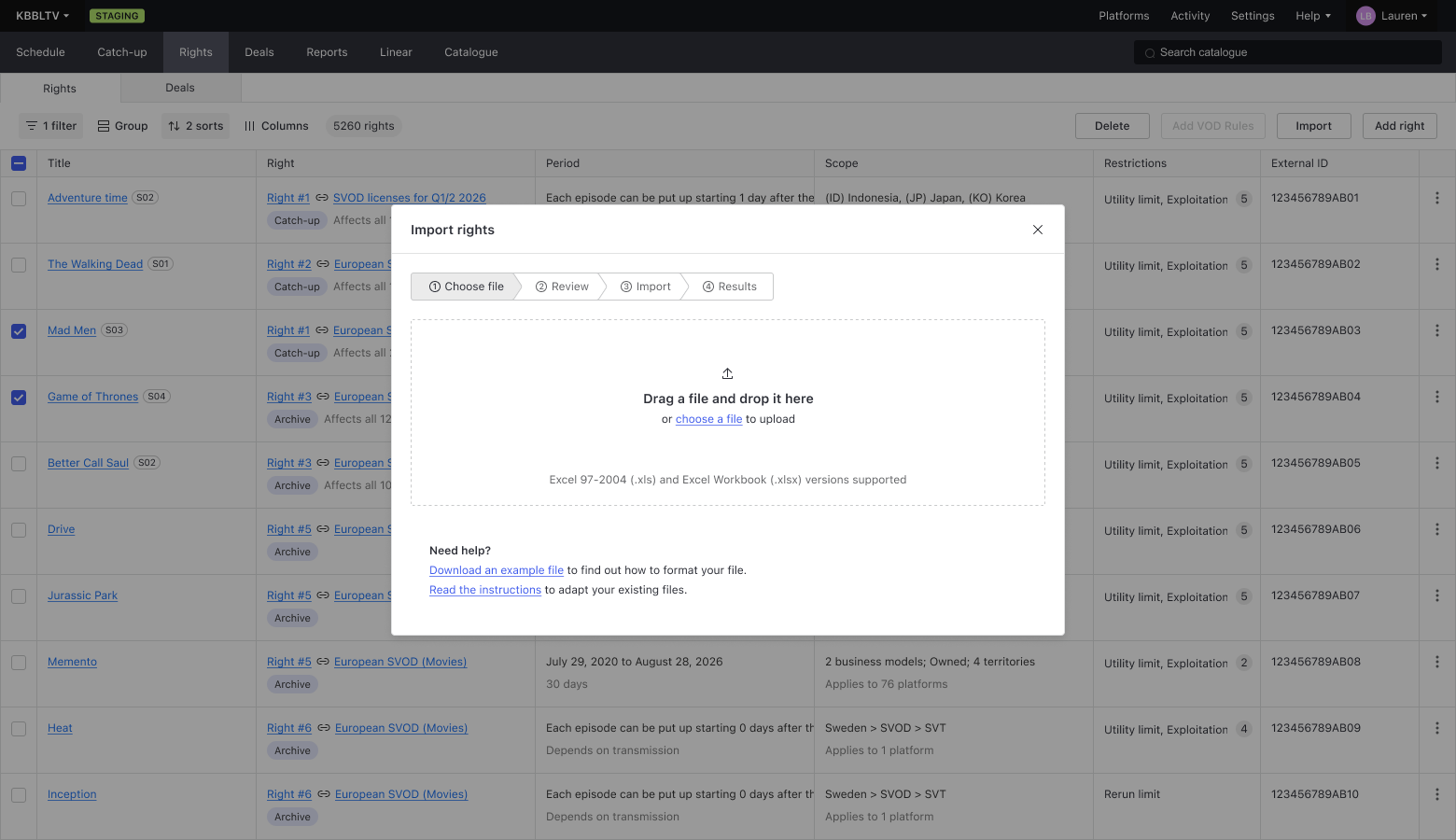
Users with edit permissions for Rights can now create rights directly from the Rights destination using the Add button, and we’ve also introduced the ability to import rights directly from a spreadsheet.
Unlike the existing Deals import process, Rights import allows users to specify rights requirements, scope, restrictions, and other rights-specific information directly within the import file.
Why this matters
-
Review more rights information without opening individual records.
-
Scan large rights inventories more efficiently.
-
Access important rights details with fewer clicks.
-
Support rights-first workflows without requiring Deals.
-
Allow rights data to be imported with greater specificity and control.
What do I need to do?
Nothing! These improvements are automatically available to all customers.
If your organisation is interested in moving towards a rights-first workflow, your Customer Success Manager can help you evaluate how these new capabilities fit into your existing processes.